
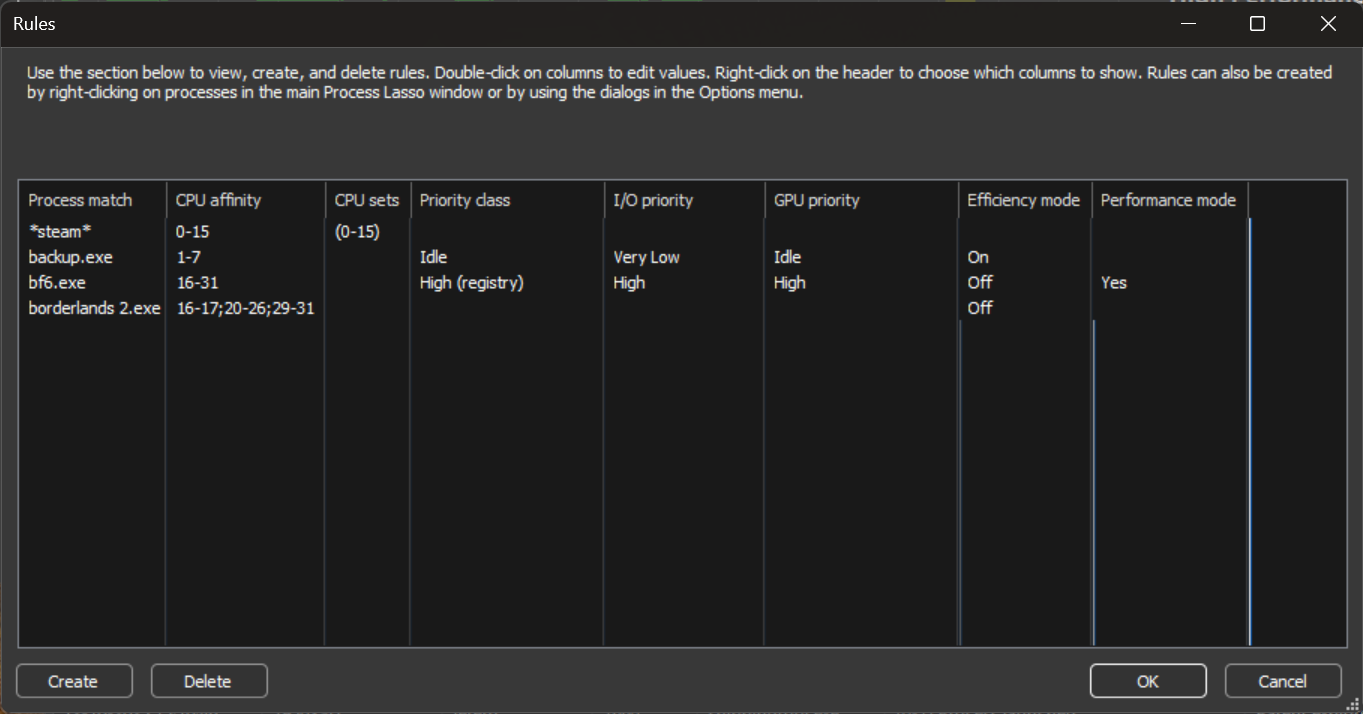
Process Lasso v17.0 – Consolidated Rules View
This is a big one! Process Lasso v17 adds a consolidated rules view and a process/game selection dialog. Now you can view and edit most of your process rules from a central location. This release also adds dark mode support to most supplemental dialogs, providing a more consistent user interface experience.
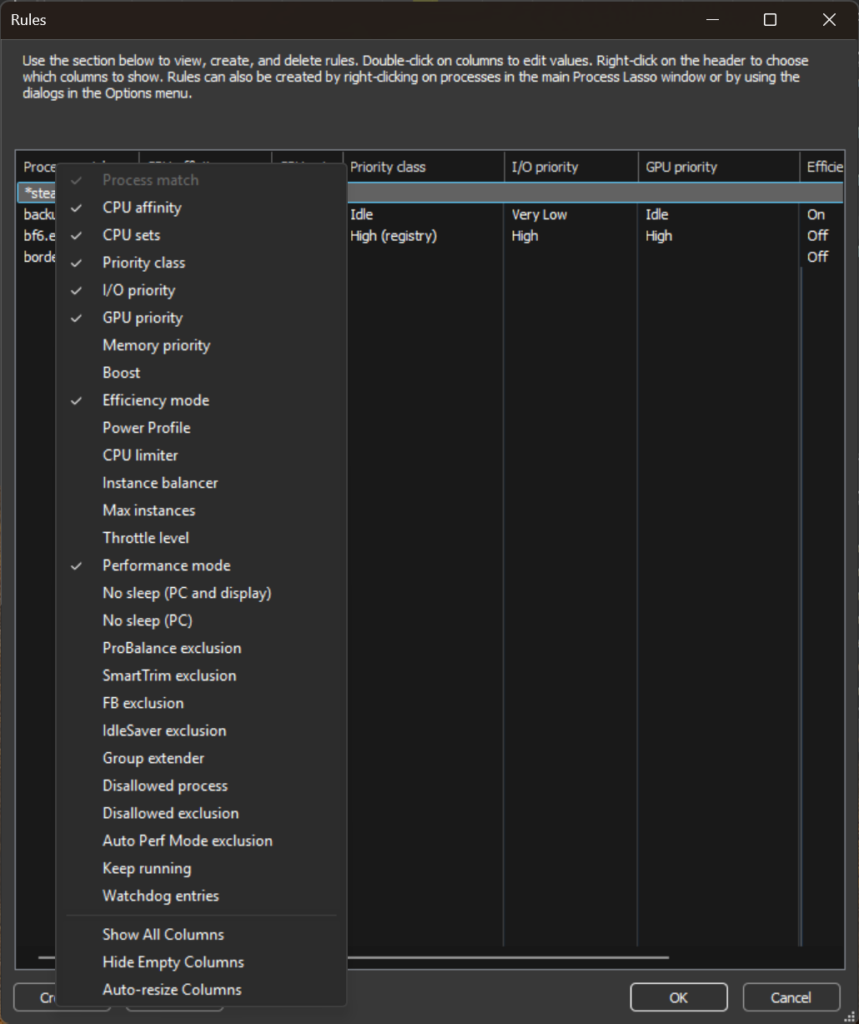
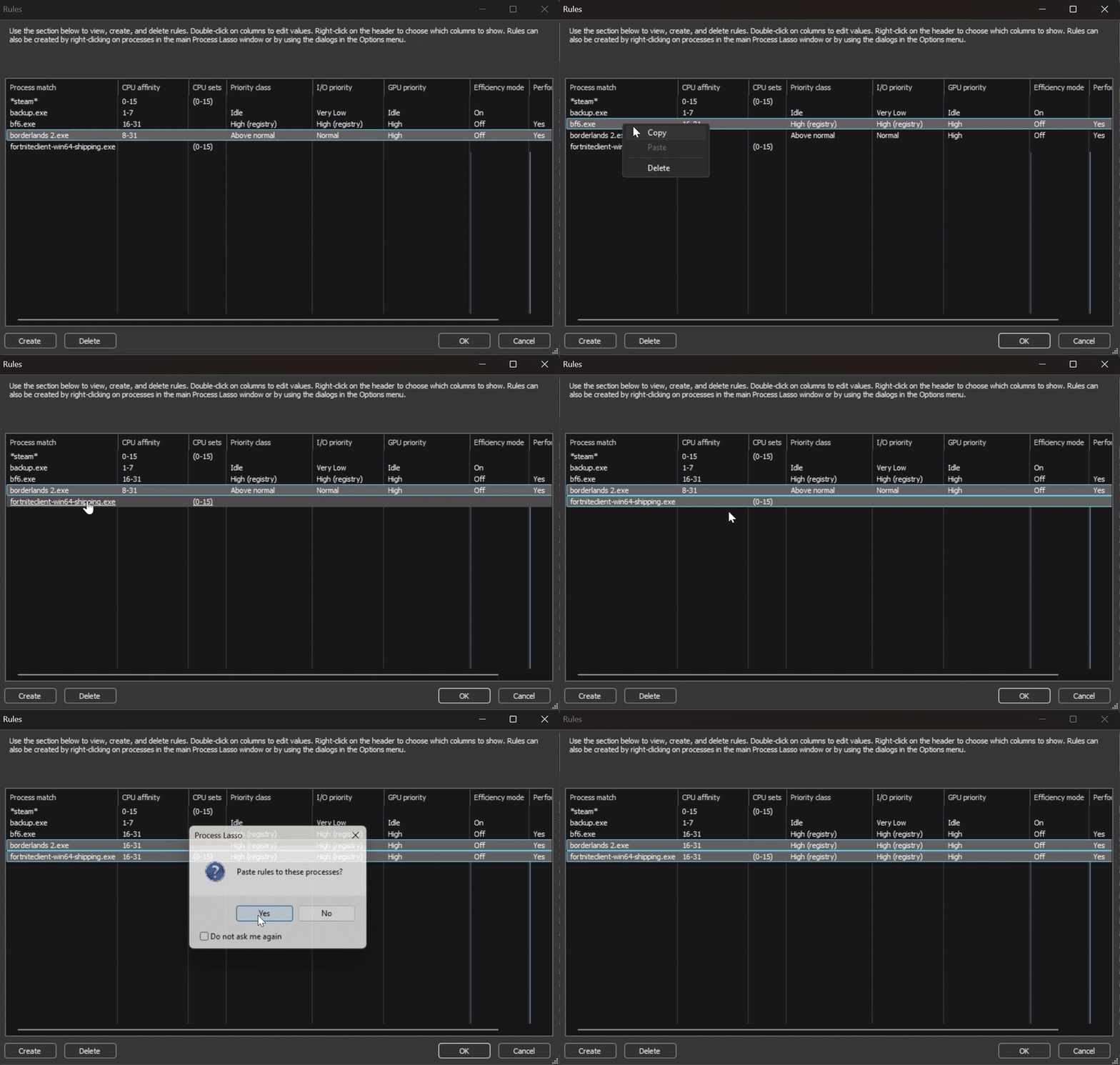
The Edit Rules button will open the new consolidated view. It will automatically show the rule types you’re using, along with a default set of common rule types (priorities, affinities, etc.). Right-clicking the header will allow you to select from the full list of rule types.
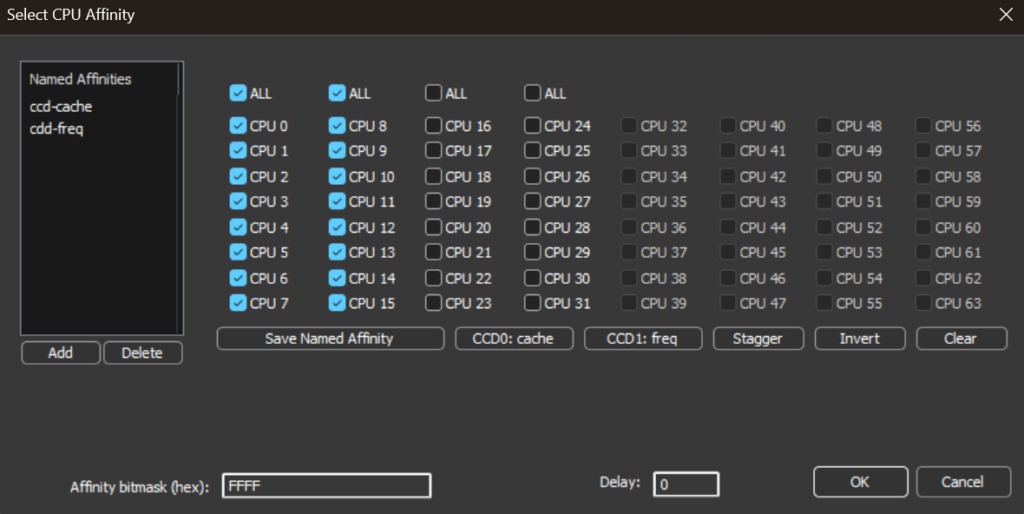
Double-clicking any field will allow in-line editing or bring up a selection dialog, as is the case with CPU Affinities and CPU Sets.
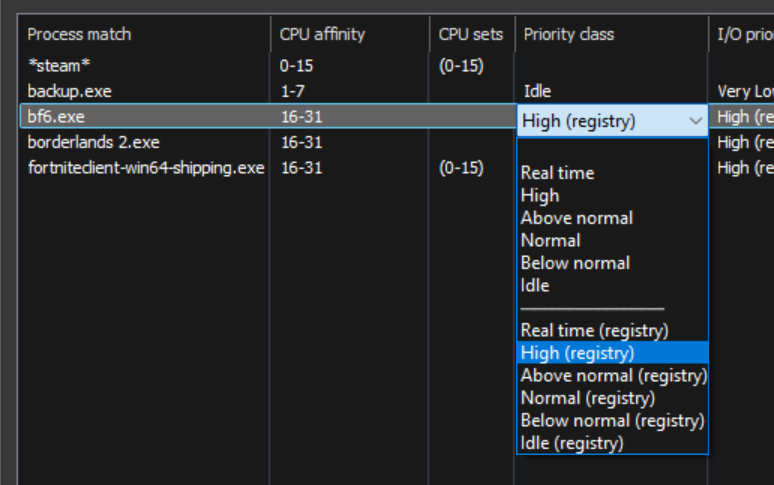
You can also copy/paste rules from one process to others.
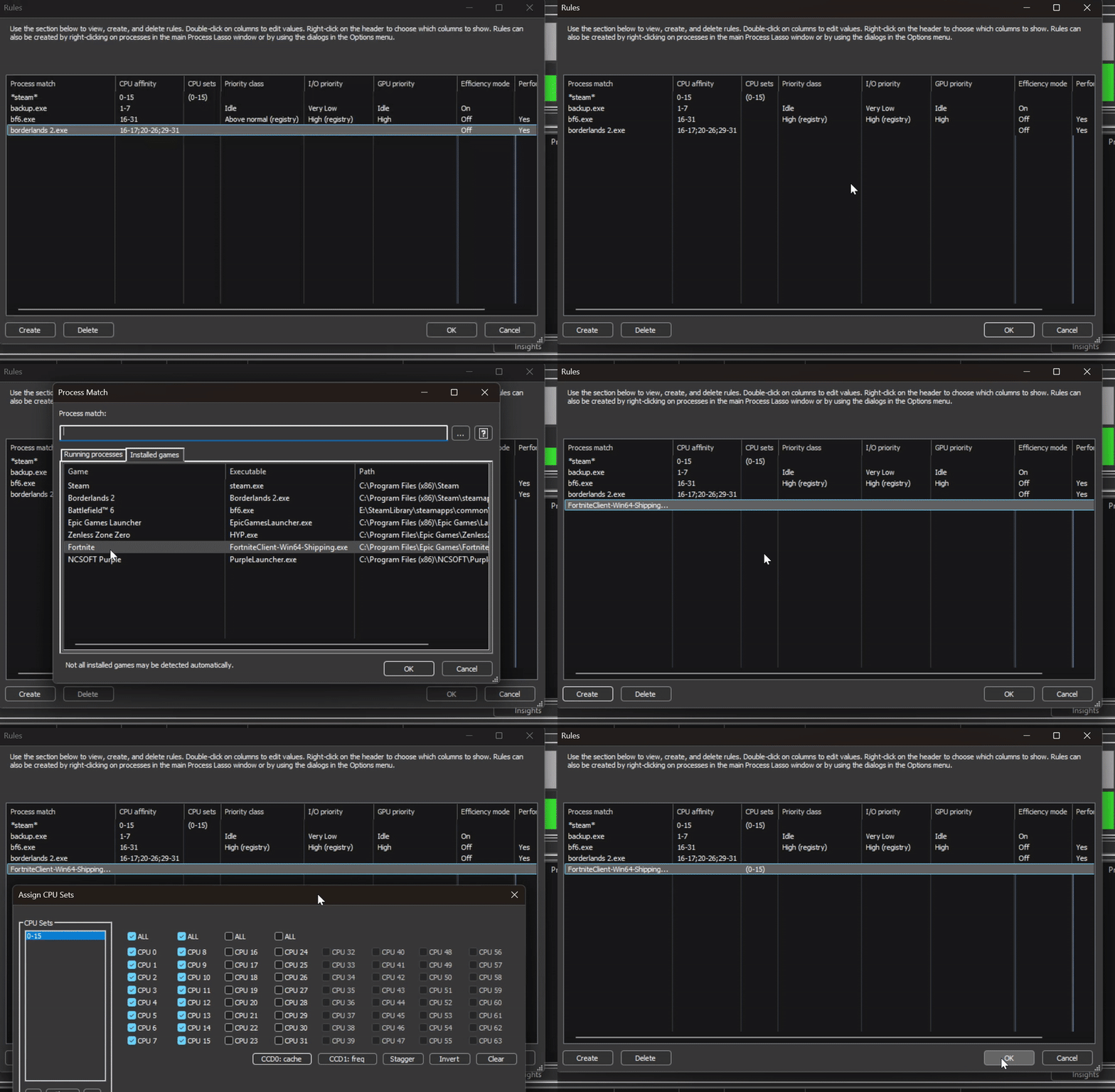
Click the Create button, or the next empty row in the list to bring up the process selection dialog. This same selection dialog has been added to all rule-configuration windows.
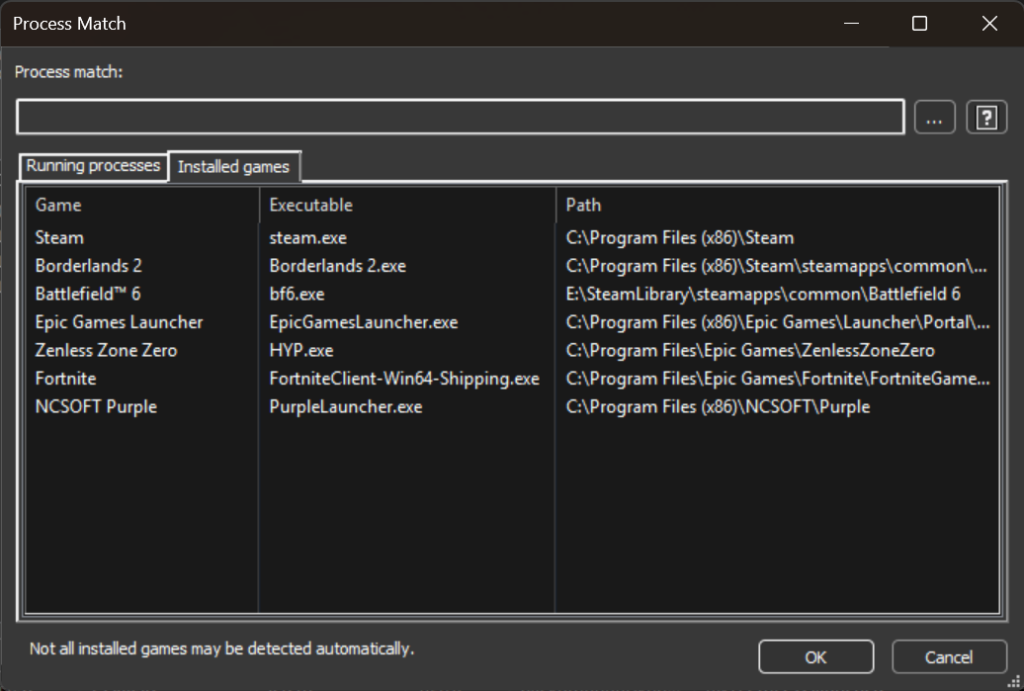
Double-click an executable name or its full path, depending on how precise you want the matching to be. Keep in mind that for registry-backed (IFEO) priorities, the base filename must be used.
Dark mode has also been extended throughout all rule-configuration dialogs, creating a much more consistent user experience in dark mode.
Lastly, the sticky CPU Sets feature was made FREE in this version. After pioneering this functionality, it was time to let it fly unencumbered by licensing. This change is part of a continuing effort to make Process Lasso freer and more accessible to everyone. Your continued support of our efforts here at Bitsum makes the development of Process Lasso and other tools possible. We will keep pushing the limits! Thank you!
Discover more from Bitsum
Subscribe to get the latest posts sent to your email.