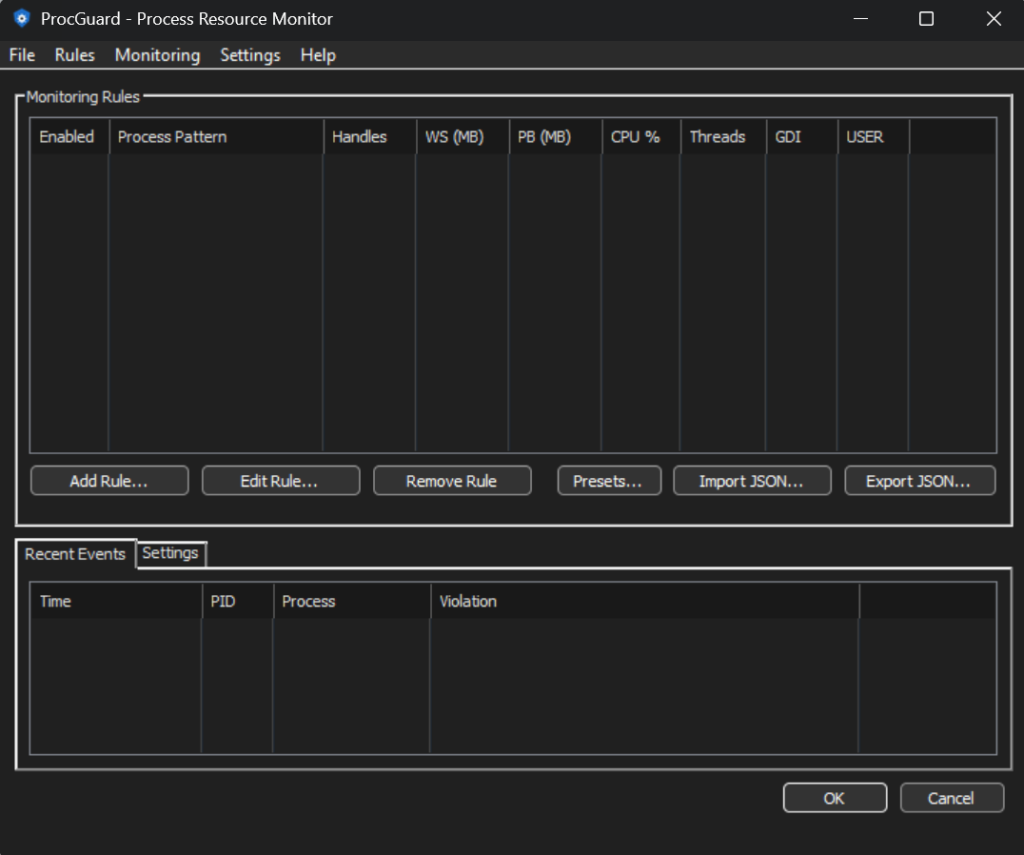
ProcGuard is a lightweight and free app that continuously monitors running processes on your Windows PC for resource consumption anomalies. How often do handle or memory leaks impact your system performance without you even realizing it? Now you’ll know!
ProcGuard can monitor for CPU spikes, memory bloat, handle leaks, thread bombs, and more. Presets are available for common rules.
ProcGuard is currently in early beta. Updates will be frequent.
Define rules that match processes by name (with wildcards) and set thresholds for CPU usage, memory (working set and private bytes), handles, threads, GDI objects, and USER objects. ProcGuard polls at a configurable interval and fires alerts when any threshold is exceeded.
Alert Actions
Tray notifications – instant balloon tips with smart throttling to avoid notification spam
File logging – timestamped, tab-delimited log for historical analysis and compliance
Sound alerts – play a custom audio file so you never miss a critical event
Get Started Fast with Presets
Don’t want to write rules from scratch? ProcGuard ships with preset rule templates for common scenarios:
Browser resource limits (Chrome, Firefox, Edge)
Runaway CPU detection
Handle and GDI leak detection
Memory hog detection
Thread bomb detection
Features
Lightweight, lives in your system tray
Dark mode support on Windows 10/11
Import and export rules as JSON for easy sharing and backup
Per-user install – no admin rights required
Auto-start at logon via Task Scheduler
Built-in update checking
Who Is It For?
Developers tracking down memory leaks, handle leaks, or runaway CPU in their apps
Sysadmins keeping tabs on process health across workstations
Power users who want early warning before a browser or background app consumes all available resources