
Free Process Monitor
A lightweight, free app that continuously monitors running processes on your Windows PC for resource consumption anomalies. How often do handle or memory leaks hurt your system’s performance without you realizing it? Now you’ll know.
Version 0.0.5.0 beta, released August 13, 2026. Windows 10 or later (x64). Per-user install, no admin rights required.
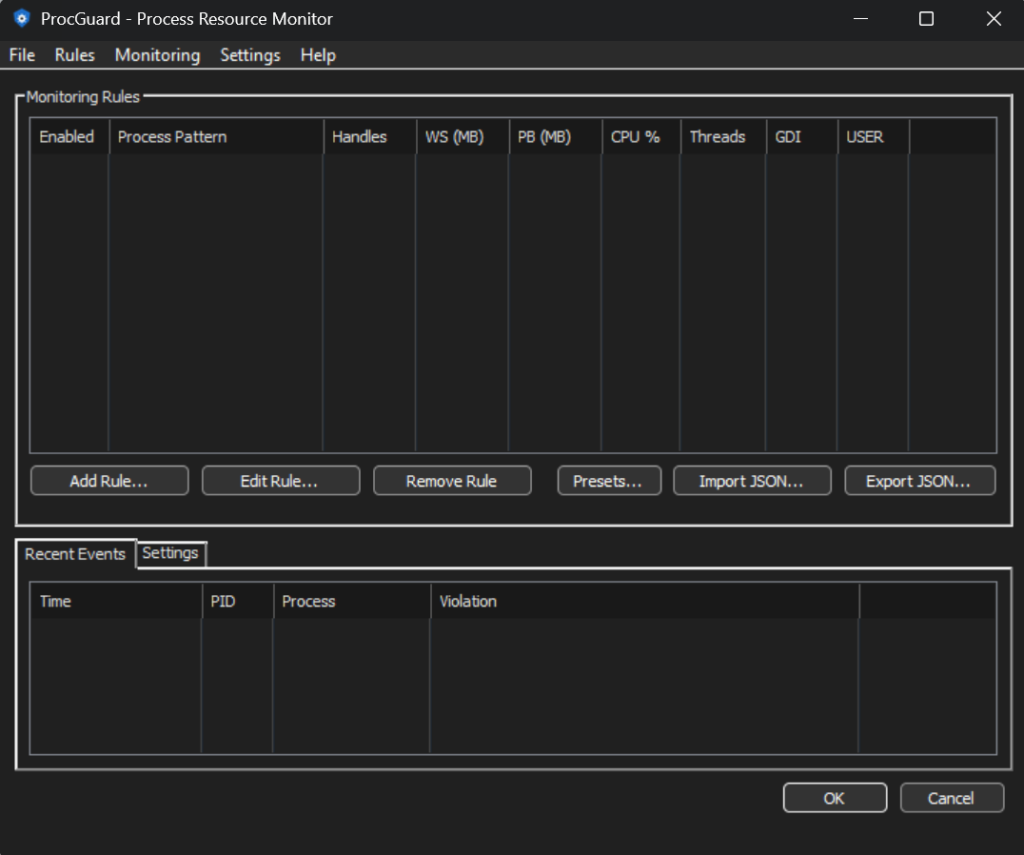
How It Works
Define rules that match processes by name, with wildcards, and set thresholds for any of these resources. ProcWatch polls at a configurable interval and fires an alert when any threshold is exceeded.
A rule can match several process patterns, separated by commas, and a ~ prefix excludes a match.
Alert Actions
Instant balloon tips, with smart throttling to avoid notification spam.
A timestamped, tab-delimited log for historical analysis and compliance.
Play a custom audio file, so you never miss a critical event.
Don’t want to write rules from scratch? ProcWatch comes with preset rule templates for common scenarios:
Who It’s For
Track down memory leaks, handle leaks or runaway CPU in your apps.
Keep tabs on process health across workstations.
Get early warning before a browser or background app consumes all available resources.
Changelog
During this stage of development, we only publish details of large or consequential changes.
~ prefix for negative matches (exclusions)Bitsum Technologies
Independent Windows software since 2002. We build novel solutions to software performance and automation challenges.