Logging
Process Lasso emits its own actions and select process events (e.g. process creations and terminations) to a CSV log. You can adjust the path to this log file via menu item ‘Options / General / Configure Startup’. Further log related settings are available at submenu ‘Options / Log’.
Log Viewer
A dedicated log viewer tool is included to open the log for a full view beyond the Process Lasso lower pane.
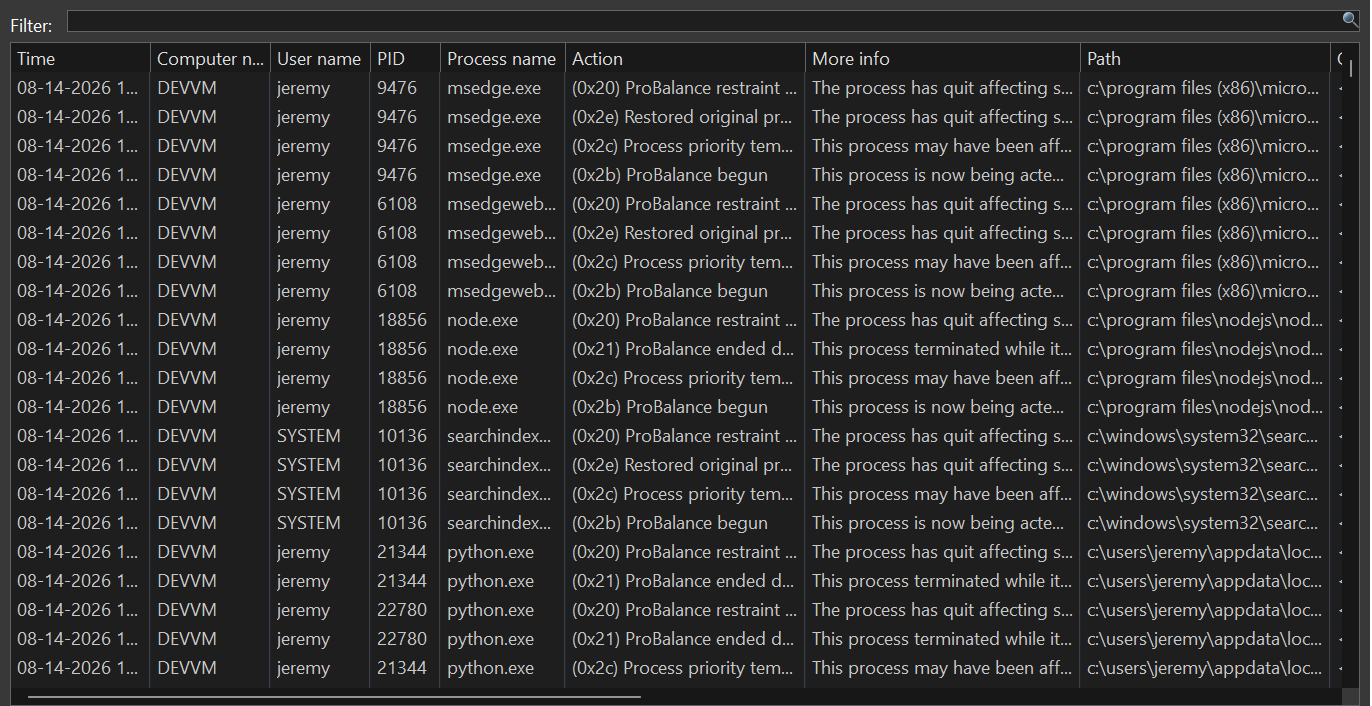
Process Lasso’s log viewer tool
Process Command Lines
By default, process command lines are not logged because they may contain user sensitive information. These can be enabled by checking menu item ‘Options / Log / Include Command Lines’.
Process Sampling (record metrics)
- Menu path: ‘Options / Log / Configure Sampling’
Process sampling capabilities can periodically dump a snapshot of process performance data to a CSV. This is distinct from the primary Process Lasso log, shows events such as process creation, termination, rule and algorithm enforcement.
No rotation or pruning of emitted CSV files is performed by Process Lasso, so they will grow indefinitely while sampling is enabled. We recommend using the date specifiers shown below to create unique logs for distinct periods, then a script to periodically archive or delete older logs.
Datetime format specifiers in CSV output filename:
%yyyy% : 4 digit year
%MM% : month
%dd% : day
%hh% : hour
%mm% : minute
%ss% : second
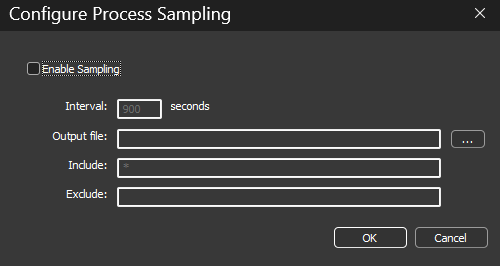
Periodic snapshots of performance data (sampling)